

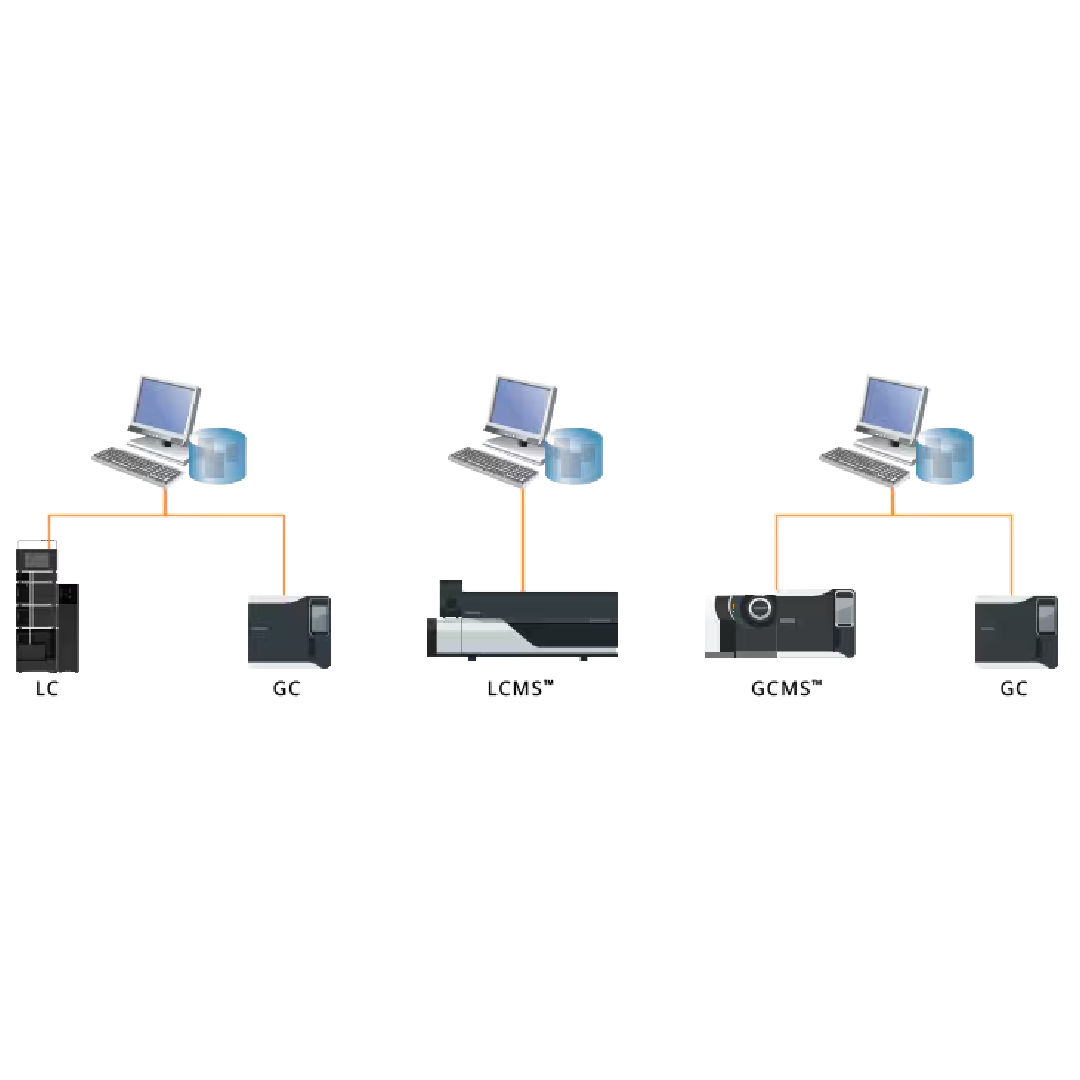
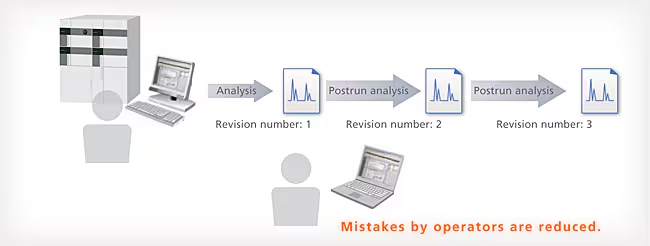
With LabSolutions DB, the analysis data is managed securely by the database. Overwriting, deletion and other mistakes typical of data file management do not occur. In addition, when postrun analysis is performed using the acquired data, postrun analysis data revision numbers are automatically assigned, preventing the accidental overwriting of raw data. It is easy to display earlier data.
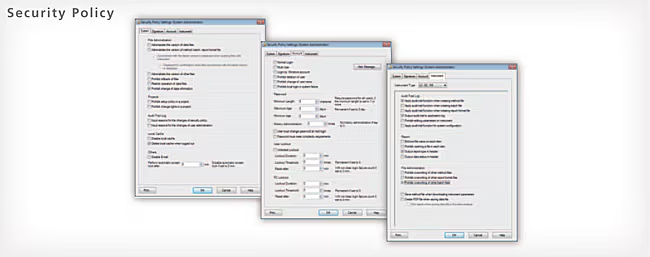
An audit trail to ensure the reliability of data and document e-mail transmission functions when any event occurs in the system can be set up. User accounts are managed using passwords, where password length, complexity and term of validity must satisfy specified requirements. It is also possible to set lockout functions to prevent illegal access, and set a registered user’s deletion and change. In addition, a box can be selected to prevent overwriting a data file, and outputting an item to a report can also be performed.
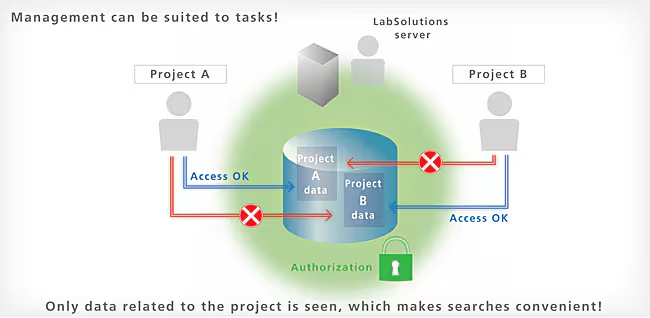
LabSolutions DB provides a project management function enabling management suited to tasks and system operations. This function enables equipment and user management, security policy, and data processing to be set on a project by project basis, thereby improving the efficiency of data searches and management tasks.
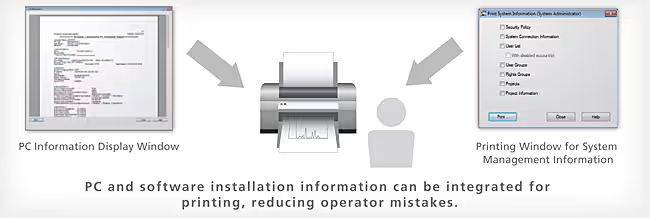
With conventional LCsolution/GCsolution software, CSV procedures involve confirmation and transcription of OS versions and software settings across multiple windows. With LabSolutions, Windows OS security patches and other PC and software installation information is integrated for display, and can be printed. In addition, LabSolutions security policy, numerical rounding settings, and other system
information, as well as user information and equipment information, can be integrated for printing from a single window. As a result, operators can confirm this information without opening a number of settings windows. This reduces operator mistakes and improves efficiency.
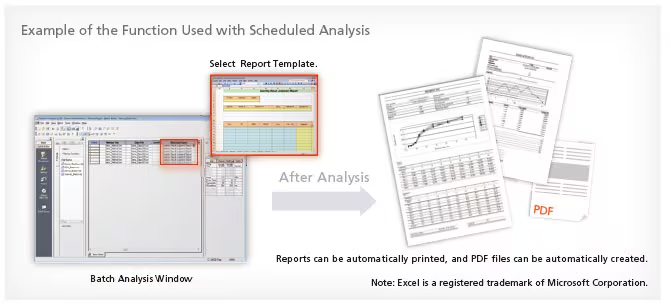
In addition to the normal analysis report creation function, LabSolutions offers the multi-data report creation function that allows the user to prepare reports with combined data from various instruments. It provides report templates for system conformance, content uniformity, elution, and other standard tests as standard. The operational environment is the same as for Excel, making it easy to prepare report formats for various standard tests. In addition, this function supports automatic report printing and automatic generation of PDF files.
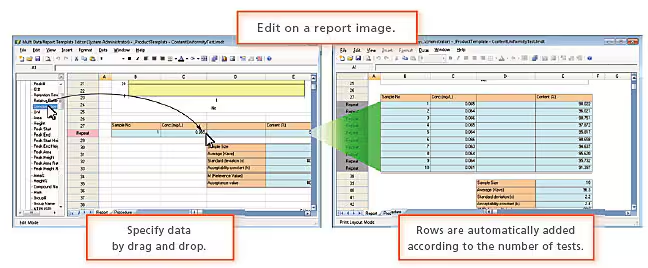
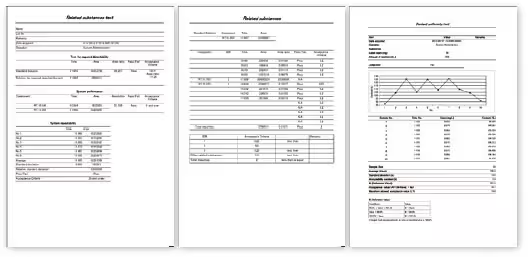
Verified templates for system conformance, content uniformity, elution, purity (structural analogs), and other standard tests are provided as standard. Also, free templates can be easily customized.
The time required to analyze large quantities of data obtained from the increasingly quick analyses and increasingly prevalent simultaneous multicomponent analyses in recent years has become a challenging issue. In addition, the strengthening of regulations associated with data integrity has given rise to demands for automated and simplified manual methods for integrating the areas of problematic chromatogram peaks. Herein, we introduce a new peak integration algorithm for LabSolutions, i-PeakFinder, which is designed to resolve these issues. i-PeakFinder, a new peak integration algorithm for LabSolutions, is a completely automated integration function that can detect peaks with high levels of accuracy without requiring special parameter adjustments. In addition, this algorithm has adjustable parameters that allow the integration function to be applied to a wide range of complex chromatogram patterns. Furthermore, the adjustable parameters allow to output highly accurate peak integration results from large quantities of data, even for batch analysis.
With Shimadzu’s traditional peak integration methods or competitor methods, some complex chromatograms require time programming in addition to the typical parameter adjustments for peak integration. However, i-PeakFinder can perform peak integration of these chromatograms just with simple parameter adjustments. This peak integration function has the following features:
Shimadzu also emphasizes on compatibility, so LabSolutions can also be used with the traditional peak integration methods (Chromatopac mode). Switching between the traditional peak integration and i-PeakFinder methods during analysis is easy, allowing the user to select an appropriate peak integration method for the circumstances. This includes selecting a traditional method for compatibility with past data. Fig. 1 shows examples of using the completely automated integration function to analyze typical peaks.