
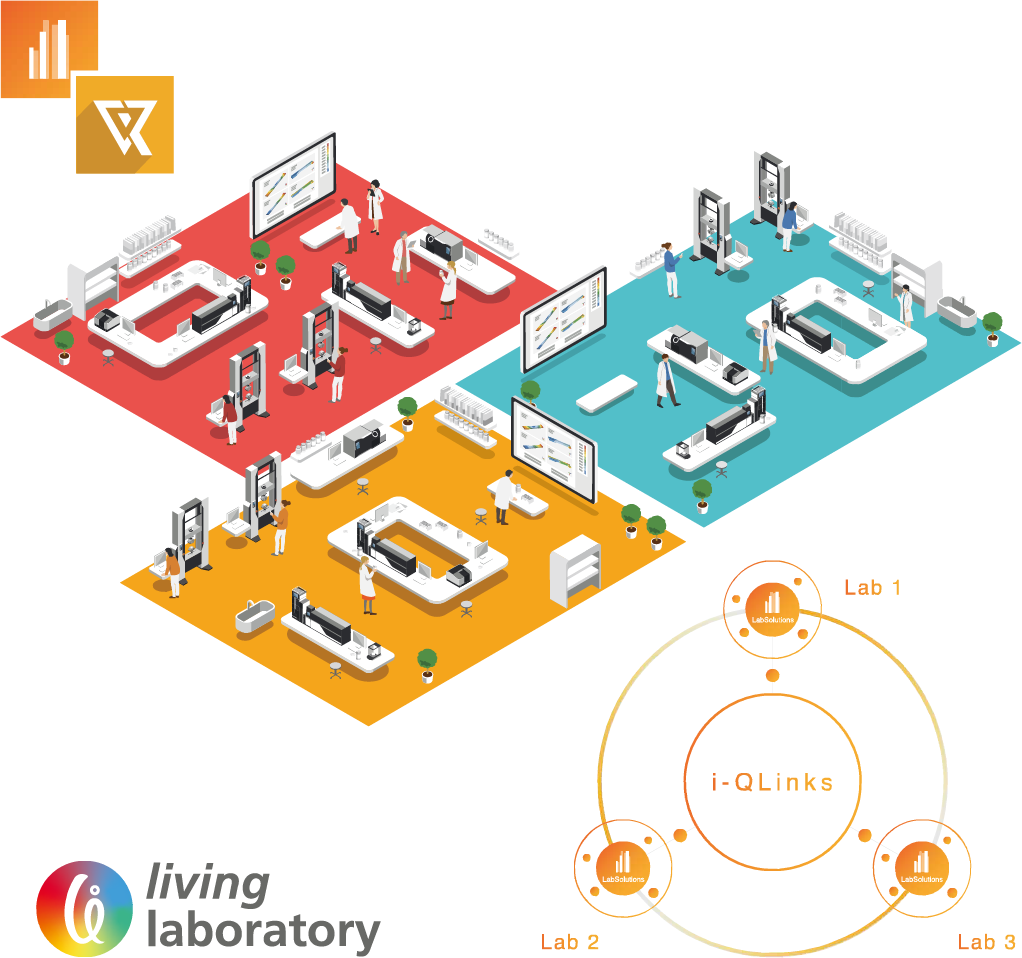
LCs and GCs are used extensively in quality control and research and development departments in a wide range of industries, including pharmaceutical, chemical, and food. Recently, an increasing demand for food safety and environmental analysis and measurement has led to a dramatic increase in the number of samples being analyzed which, in turn, has resulted in demands for faster, easier-to-use instruments and software. In the pharmaceutical industry, compliance to regulations and guidelines, such as CSV and PIC/S GMP, U.S. FDA 21 CFR Part 11, Data Integrity and so on, and the proper, efficient management of instruments and analytical data are required. With this background, faster, more efficient management of instruments and data is essential. LabSolutions is a network-compatible analysis data system capable of meeting these needs.
Since all analytical data is managed in the database of a server computer, LabSolutions CS can read data from any personal computer on a network. In addition, analysis directions and instrument monitoring and control can be performed from a personal computer (client PC) not connected to the instruments.
Moreover, client PC functions are performed on a server and client PCs corresponding to a Windows terminal service do not need to install LabSolutions software.
Furthermore, LabSolutions CS is compatible with Citrix Virtual Apps and can perform more advanced server management.
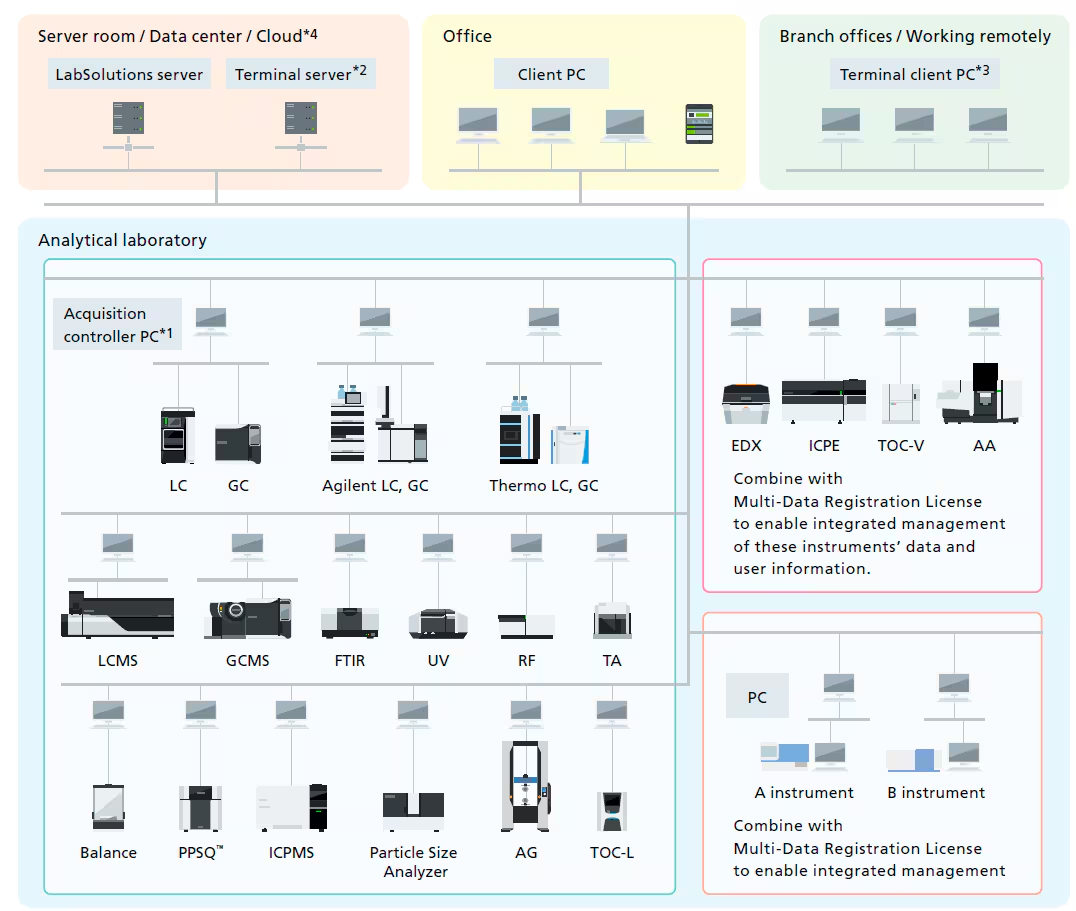
With LabSolutions, both LC and GC systems are operated from One software, enabling simultaneous control of multiple instruments from a single PC. The LC and GC instruments connected can be used in a flexible manner by switching between them. The shared LC and GC analysis operating environment, which inherits the operability of LCsolution and GCsolution, lessens the training time for workstation operations.
The LabSolutions operating monitor enables confirming the operating status of connected instruments, and the estimated analysis completion time for each instrument. Operating status can be assessed at a glance even when multiple instruments are operating at the same time. This is helpful for scheduling analysis procedures to match equipment availability. In addition, equipment icons are displayed to match the grouping or location of instruments in a laboratory.
With LabSolutions CS, equipment can be accessed freely, from any location, while maintaining security. For example, before starting an analysis, the equipment can be operated from a PC in the laboratory. After analysis starts, a PC in the office can be used to confirm operating status, control the equipment, and analyze the data. This improves the efficiency of analysis status monitoring, equipment control, report creation and other procedures.
LabSolutions CS provides integrated, server-based data management, which means that data can be browsed from anywhere. In addition, the data obtained from the analysis schedule can be looked for collectively and a wealth of search functions makes it easy to search for data of interest.
With general systems, when the server is down, analysis stops. With LabSolutions CS, even if a problem with the server occurs, analysis can be performed using the acquisition controller PC. In addition, after server recovery, the data from analysis results is saved automatically in the LabSolutions server via the acquisition controller PC.
With LabSolutions DB and CS, the analysis data is managed securely by the database. Overwriting, deletion and other mistakes typical of data file management do not occur. In addition, when postrun analysis is performed using the acquired data, postrun analysis data revision numbers are automatically assigned, preventing the accidental overwriting of raw data. It is easy to display earlier data.
An audit trail to ensure the reliability of data and document e-mail transmission functions when any event occurs in the system can be set up. User accounts are managed using passwords, where password length, complexity and term of validity must satisfy specified requirements. It is also possible to set lockout functions to prevent illegal access, and set a registered user’s deletion and change. In addition, a box can be selected to prevent overwriting a data file, and outputting an item to a report can also be performed.
With LabSolutions CS, equipment can be accessed freely, from any location, while maintaining security. For example, before starting an analysis, the equipment can be operated from a PC in the laboratory. After analysis starts, a PC in the office can be used to confirm operating status, control the equipment, and analyze the data. This improves the efficiency of analysis status monitoring, equipment control, report creation and other procedures.
Currently, since user information is managed for every PC, as the number of PCs managed increases, so too does the burden on the administrator. LabSolutions CS provides integrated server-based management of user information, so user management is not required individually for each PC and the administrator’s time and effort is reduced.
Data backup is also important. Since the data can be managed with a server, data does not remain in each PC. It can be stored on the server or saved to media such as a USB HDD. The data can be referred to directly, without returning to the original database. (Restoration unnecessary) In addition, if tape library equipment is used, it can overcome server trouble etc., thereby achieving even more efficient management.
LabSolutions DB and CS provide a project management function enabling management suited to tasks and system operations. This function enables equipment and user management, security policy, and data processing to be set on a project by project basis, thereby improving the efficiency of data searches and management tasks.
With conventional LCsolution/GCsolution software, CSV procedures involve confirmation and transcription of OS versions and software settings across multiple windows. With LabSolutions, Windows OS security patches and other PC and software installation information is integrated for display, and can be printed. In addition, LabSolutions security policy, numerical rounding settings, and other system information, as well as user information and equipment information, can be integrated for printing from a single window. As a result, operators can confirm this information without opening a number of settings windows. This reduces operator mistakes and improves efficiency.
LabSolutions CS is compatible with the Windows terminal service (RemoteApp). Since LabSolutions software is not installed on a client PC, validation procedures and software upgrades for client PCs are significantly reduced. The terminal service function enables remote use of LabSolutions software installed on the server. The server-based LabSolutions software can be operated with the usual degree of user friendliness as is.
In addition to the normal analysis report creation function, LabSolutions offers the multi-data report creation function that allows the user to prepare reports with combined data from various instruments. It provides report templates for system conformance, content uniformity, elution, and other standard tests as standard. The operational environment is the same as for Excel, making it easy to prepare report formats for various standard tests. In addition, this function supports automatic report printing and automatic generation of PDF files.
The time required to analyze large quantities of data obtained from the increasingly quick analyses and increasingly prevalent simultaneous multicomponent analyses in recent years has become a challenging issue. In addition, the strengthening of regulations associated with data integrity has given rise to demands for automated and simplified manual methods for integrating the areas of problematic chromatogram peaks. Herein, we introduce a new peak integration algorithm for LabSolutions, i-PeakFinder, which is designed to resolve these issues. i-PeakFinder, a new peak integration algorithm for LabSolutions, is a completely automated integration function that can detect peaks with high levels of accuracy without requiring special parameter adjustments. In addition, this algorithm has adjustable parameters that allow the integration function to be applied to a wide range of complex chromatogram patterns. Furthermore, the adjustable parameters allow to output highly accurate peak integration results from large quantities of data, even for batch analysis.
From the viewpoint of data integrity, management of columns used in analysis is required. LabSolutions column manager shows and prints the column information (contents concerning the column specification such as name, column ID, inner diameter, length etc.) used in LC / GC / LCMS analysis, the analysis result using the column, the total injection number and so on. It enables you to manage analytical columns.
In analytical laboratories, it is necessary to ensure that there have been no errors or irregularities in the procedures used to obtain results from the acquired data. Confirming test results and maintaining accurate analysis operational logs are also required. This is in order to ensure both the accuracy of the acquired data and the reliability of analysis data.
LabSolutions Report Set visualizes software operations to ensure the reliability of analysis data. At the same time, the amount of time needed to confirm analysis results can be reduced to 1/2 or 1/3.
Information from a sequence of analyses (batch analysis), analysis results and conditions, and even the entire operational log from the start to the end of analysis procedures are summarized in a single PDF file (Report Set). This simplifies confirmation of analysis results and operations, thereby ensuring reliability and reducing the burden of confirmation procedures.
Editing of the sequence of analysis results subject to visualization is automatically disabled, preventing the revision, substitution, or tampering of results. As a result, revision, substitution and other forms of tampering with the analysis results is prevented. In addition, the visualized Report Set and the sequence of analysis results are linked, allowing individual analysis results data sets to be searched and checked easily.
A report confirmation record can be left at any point in the analysis results report output as a PDF file. If any items have not been checked, an error is issued, preventing omissions in the report confirmation process. In addition, electronic signatures can be used for the confirmation of the Report Set. These functions simplify on-screen confirmation, enabling paperless operations and heightening productivity.
It is now possible to control Agilent’s HPLC and GC instruments from the LabSolutions DB/CS analysis data system. Each of the functions offered by LabSolutions DB/CS, such as integrated database management of analysis data and method information and access to analysis data from each client PC, can be used not only with Shimadzu’s HPLC, GC, UV, and FTIR instruments, but also with Agilent’s HPLC and GC instruments.
LabSolutions DB/CS employs the method editing window and analysis monitoring user-interface screens from Agilent’s HPLC and GC driver packages integrated through the Agilent Instrument Control Framework (ICF).
LabSolutions CS offers integrated database management of LC and GC data as well as data from other instruments used in a laboratory, including mass spectrometers, TOC analyzers, and balances, using a server computer database. In addition, allows creation of reports for various types of tests.
Thermo Fisher Scientific’s LC and GC systems can now be controlled by LabSolutions DB/CS analytical data systems, which provide such functionality as integrated database management of analytical data and method information. In addition, LabSolutions CS provides integrated management of data from a variety of non-LC/GC instruments, including spectroscopic instruments, TOC analyzers, and balances, via the database on the server computer. This integrated data management of a wide range of laboratory instruments improves efficiency and supports the creation of reports on various tests. Integrated data processing for LC and GC instruments in LabSolutions DB/CS lessens the managing effort of analytical methods and user information due to the use of multiple analytical data systems and simplifies the learning process for operators. In addition, Shimadzu’s proprietary functions, such as the report set function, which strengthens data integrity, can be used.